Run your whole dance studio backstage.
One place for scheduling, competition booking, tuition, and family communication — built for how dance studios actually run, not a generic calendar app.
No credit card to start · We set up your studio with you
- Scheduling
- Competition booking
- Tuition & payments
- Events & ticketing
- Messaging
- Parent & teacher portals
- Reports & exports
- Start without a credit cardSet up your studio and first season before you ever enter billing.
- Your data, always exportableFamilies, payments, schedules, and reports export in one click — no lock-in.
- Built only for danceNot a generic calendar — the competition and recital workflow is the product.
Everything your studio runs on
From the first class of the season to the last competition payment — the back office, the front desk, and the parents all work from the same place.
Scheduling & seasons
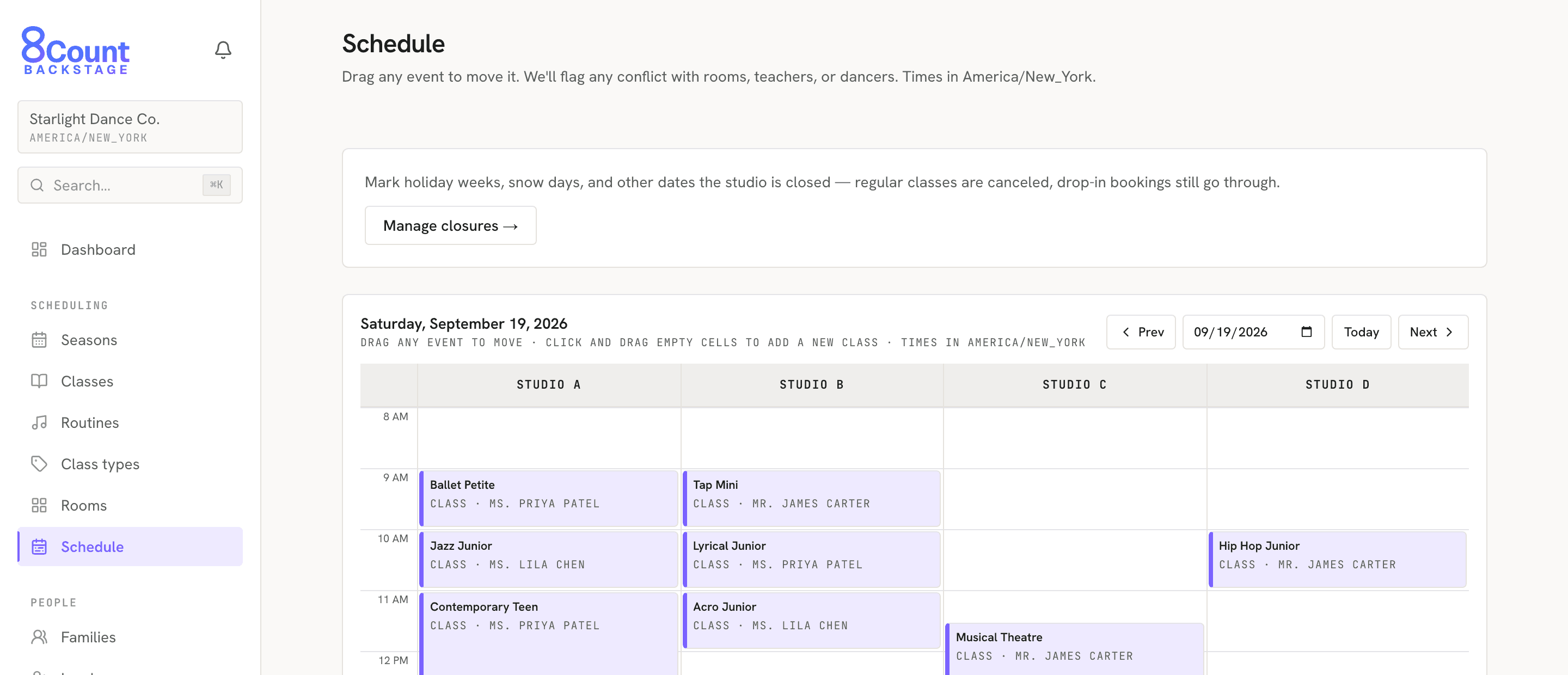
Build the weekly class schedule across every room and teacher. Conflicts and over-capacity show up as you drag, not after parents complain — and it's all organized by season.
Competition booking
The private-lesson workflow built for dance: import contracts in bulk, text each family a booking link, and let them claim an open slot from their phone — partners filling in for each other automatically.
Tuition & payments
Collect tuition and event payments online, track every family's balance, and reconcile it all — no separate billing spreadsheet to keep in sync.
Events & ticketing
Sell tickets to recitals and showcases, scan them at the door with a phone or USB scanner, and print the program — the whole show, handled.
Families & parent portal
Every family in one record, plus a parent portal where they book, pay, and manage their dancers. Capture new leads and convert them in the same place.
Messaging & reminders
Reach families by email, two-way SMS, and push. Lesson and booking-deadline reminders go out automatically — you don't have to remember.
Teachers & timesheets
A teacher portal for schedules and rosters, plus timesheets and hours — without handing every teacher the keys to admin.
Records & reporting
Report cards, skills & levels, inventory, and documents, with studio reports and a full audit log behind it all.
One studio, every workflow
Booking private lessons is just one piece of it. Click through a few of the jobs your studio runs every week — or watch them cycle.
Book a season of private lessons — fairly
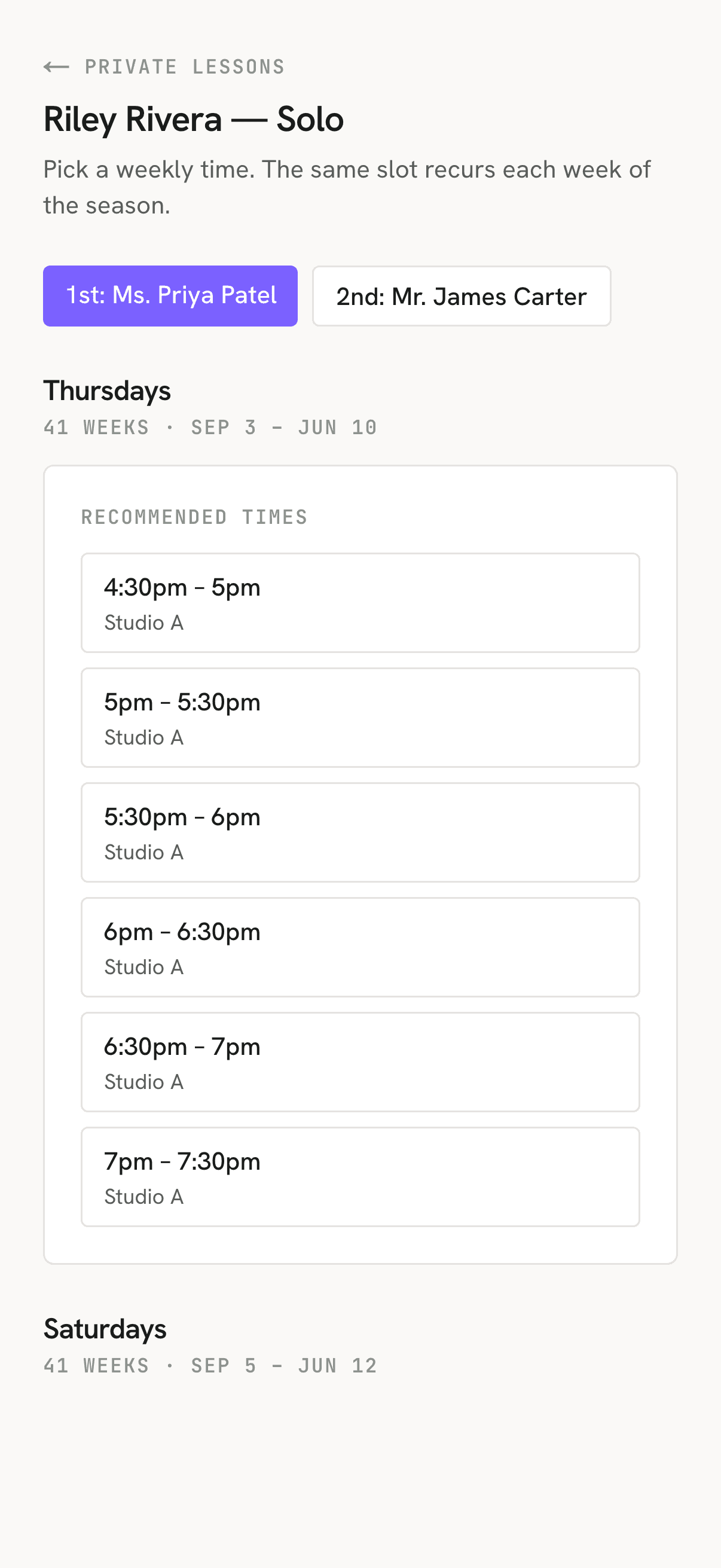
Solos, duos, and trios are the scheduling crunch. Backstage runs the whole thing over text: each family gets a booking link and claims an open, conflict-free slot from their phone.
- Import contracts in bulk and set the booking order — you decide who goes first, not whoever corners the front desk.
- Families pick only from slots that fit their dancer, held every week of the season.
- Name a duo or trio partner once; the booked slot fills in on every partner’s link automatically.
Built for everyone backstage
Studio staff
Scheduling, tuition and payments, messaging, reporting, and an audit log — the whole back office and front desk.
Teachers
Their own portal for class schedules, rosters, timesheets, and report cards — without admin access to everything else.
Parents
Book classes and competition slots, pay tuition, and keep dancer details current — from one family login.
From an empty studio to a confirmed season
- 01
Get set up with our team
We configure your rooms, teachers, class types, and first season with you — tailored to how you run.
- 02
Build the weekly schedule
Drop classes onto the grid; Backstage flags conflicts and capacity as you draft.
- 03
Open it to families
Send booking links, invite parents to the portal, and start collecting tuition and payments.
- 04
Run the season
Reminders send themselves, families self-serve in the portal, and every export is one click away.
Simple, per-studio pricing
Straightforward pricing for a single studio — no per-seat math, and nothing to pay until your first season is set up and you’ve seen it work.
Free to start
No credit card to begin. We set up your studio and first season with you for free, and you invite families when you're ready.
One subscription per studio
A single plan covers your whole studio — admins, front desk, teachers, and every family login — with no per-seat add-ons.
No lock-in
Cancel anytime through Stripe's secure portal, and export your families, payments, and reports whenever you want.
Frequently asked questions
- What does it cost?
- 8Count Backstage is a simple per-studio subscription, and you can start free with no credit card — we get your season set up so you can see it work before you decide to pay. Tuition, tickets, and other family payments run through your own Stripe account, with a small fee on the online payments you process that you can choose to pass on to families.
- How much work is it to switch?
- Getting started is quick: our team sets up your rooms, teachers, and class types and builds your first season with you, then you invite families. You can bring families and competition contracts over in bulk instead of retyping them, and roll out to families gradually rather than all at once.
- Who is it for?
- Dance studios running recreational classes, competitive teams, or both. If you juggle a weekly schedule, private-lesson booking for solos, duos, and trios, tuition, and recital tickets, Backstage is built for exactly that — not adapted from a generic gym or calendar app.
- Can I get my data out?
- Yes — your data is yours. Admins can export families, payments, and reports from the studio at any time, and you can request a full export of your account data from your settings. Nothing is locked in.
- Can I text families, and stay compliant?
- Reaching families is built in: email, two-way SMS, and push, with lesson and booking-deadline reminders that send themselves. Families opt in to texts separately and can reply STOP to opt out anytime, so your messaging stays consent-based.
- What if I need help?
- We’re happy to help you get set up and answer questions along the way — reach us anytime at support@8countbackstage.com.
We’ll build your first season with you
Send us a few details about your studio and we’ll bring your families and competition contracts over, build the season with you, and hand it back ready to run.
Request access